Color entire folder trees in one click

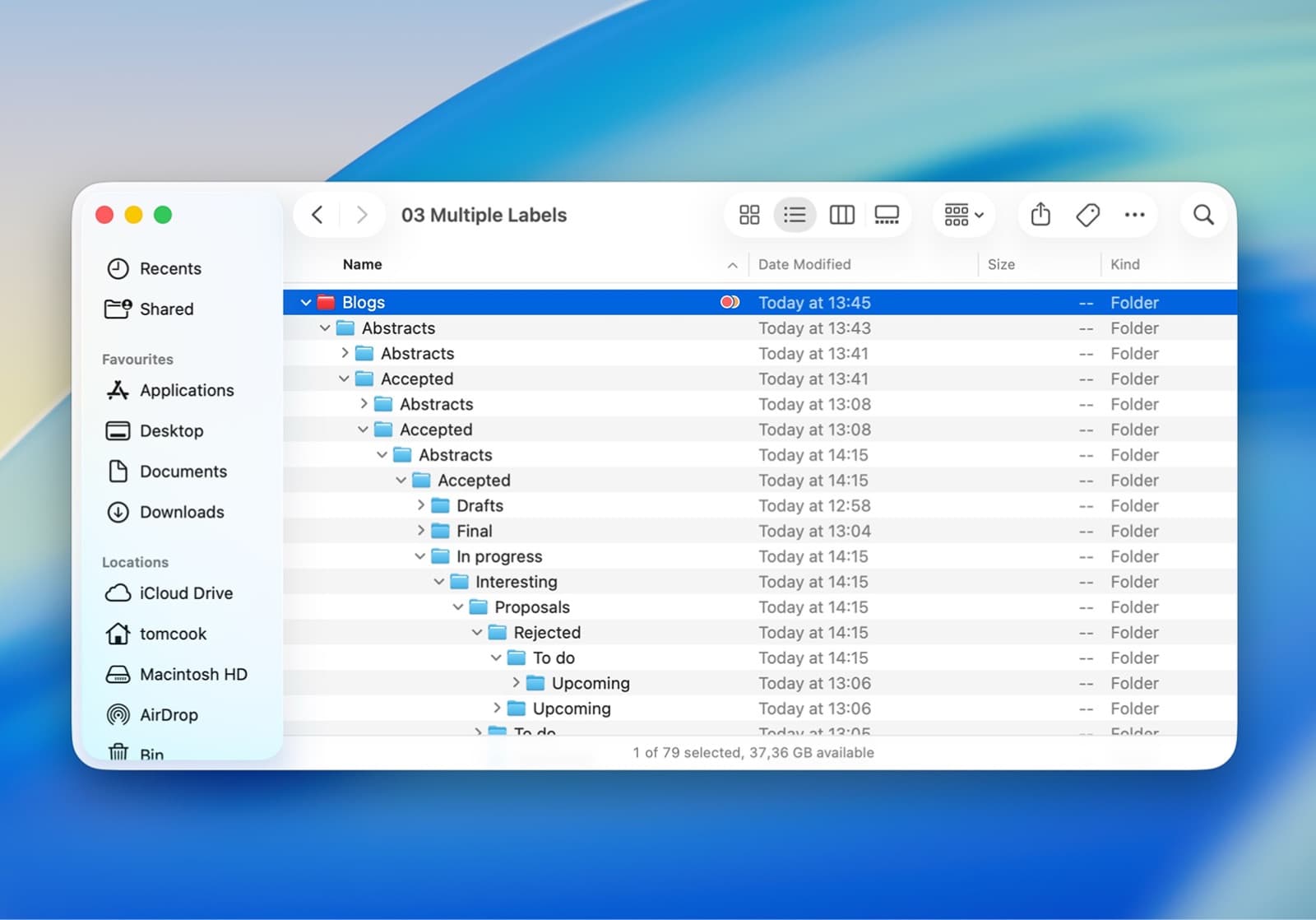
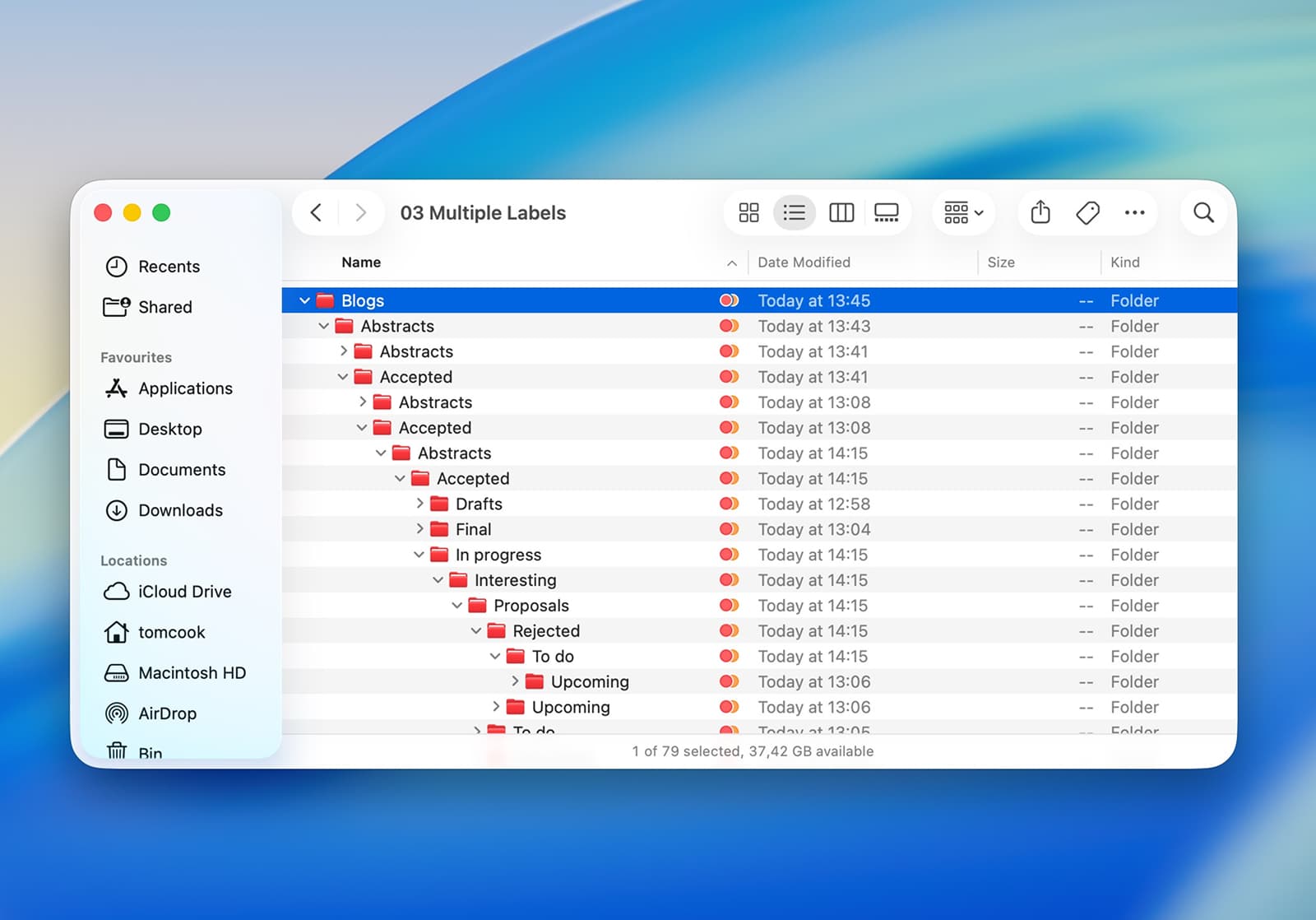
macOS doesn’t cascade labels. FolderCascade fixes that.

Requires macOS 26 (Tahoe) or laterSend link to my Macapp store icon

Problem and Solution

Default macOS behavior
Default macOS behavior

FolderCascade

FolderCascade

Key Features

Apply Labels to All Subfolders

Apply labels to all subfolders automatically for consistent organization and easier navigation.

icon

Preview Changes Before Applying

Preview changes before applying them to ensure everything looks right and avoid mistakes.

icon

Fully Offline and Private, Always

Works fully offline, keeping all your data private and securely on your device.

icon

No Setup, Works Instantly

No setup required, works instantly as soon as you use it.

icon

Who Uses This

Developers

Developers

Quickly color module trees and service folders at scale

Designers

Designers

Organize project assets visually across entire folder trees

FolderCascade

centerIcon

FolderCascade

Photographers

Photographers

Tag shoots and sub-shoots in one action

Researchers

Researchers

Visually map complex folder hierarchies at a glance

lightning
FolderCascade

macOS doesn’t cascade folder labels, so organizing large directory structures becomes repetitive and manual. FolderCascade applies your chosen color or label to every subfolder automatically, one action, clean hierarchy.

€4.99

* Prices may vary per region.
  • One-time purchase.
  • Future updates included.
  • No subscription
  • No tracking
  • Your system, your rules.
Get it on
the Mac App Store

bg
Frequently Asked Questions
No. FolderCascade only modifies Finder label metadata to apply colors to your folders. Your files, folder contents, and folder structure remain completely untouched. It's a safe way to organize and color-code your Mac folders without any risk to your data.
Yes. In its current version, FolderCascade applies the selected color label from your root folder to all subfolders, replacing any existing labels. We recommend using it on folders where you want a consistent color scheme throughout the entire hierarchy.
FolderCascade requires only minimal permissions to read and write Finder metadata (folder labels). It never accesses or reads the contents of your files. Your documents, photos, and other data remain private and secure.
Yes, FolderCascade works seamlessly with external drives, USB drives, and network drives on macOS. You can apply color labels to folder hierarchies on any mounted volume without modifying the drive's structure.
No, FolderCascade works completely offline. Once installed from the Mac App Store, all features work without an internet connection. Your folder organization stays on your Mac.
FolderCascade is a standalone macOS application available on the Mac App Store. While it's not a Finder extension, it integrates smoothly with your workflow to help you organize and color-code folder trees with a single click.
Unlike Finder's built-in labeling which only colors one folder at a time, FolderCascade cascades the labels and color of your selected folder to its entire subfolders tree instantly. What would take hours of manual clicking is done in one click.
FolderCascade is currently available exclusively for macOS on the Mac App Store. It's designed specifically for Mac users who want to organize their Finder folders with color labels.
icon
icon